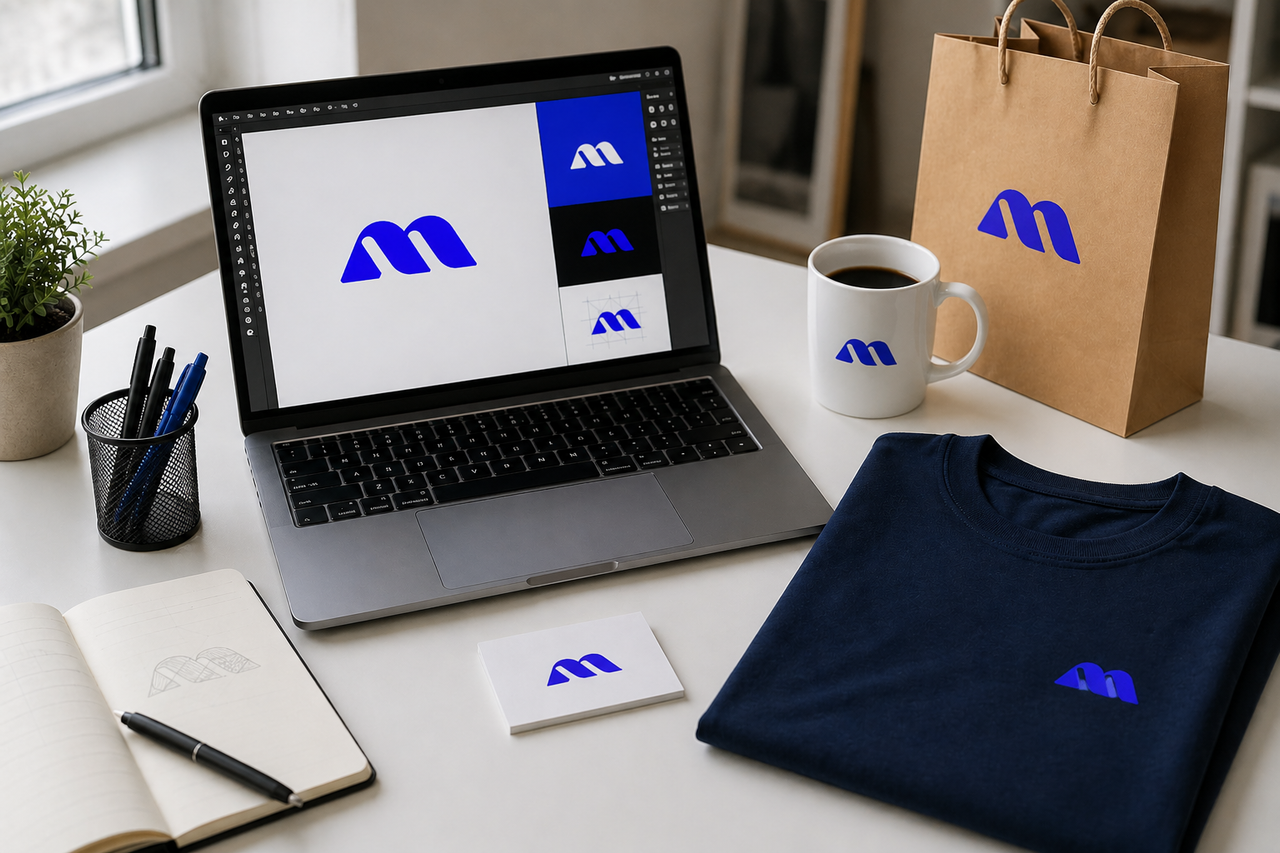
A mockup is a photorealistic preview that shows your design placed on a real product before anything is printed or built. Here is everything designers need to know in 2026.
A
Abdul Manan
·April 30, 2026·6 min read·130
Over 90,000 designers search for free mockup PSD files every month.
That number tells you one thing clearly: mockups are not optional
in design work anymore. They are expected.
But if you are new to design, the word "mockup" can feel confusing.
Is it a template? A prototype? A photograph?
This guide answers all of that in plain language.
What Is a Mockup in Design?
A mockup is a photorealistic image that shows your design
placed on a real product.
Think of it this way. You design a logo. It looks great on a white
background. But your client wants to see it on a coffee cup, a
shopping bag, and a business card. You do not want to manufacture
all three just to show them a preview. So you use a mockup.
You drop your logo into a PSD file, and within seconds, it
appears on a photorealistic coffee cup with accurate lighting,
shadows, and surface texture. The client sees exactly what the
final product will look like before a single item gets printed.
That is a mockup.
Who Uses Mockups?
You will find mockups used across almost every creative field:
Graphic designers present branding work to clients
Packaging designers visualize labels on bottles, boxes,
and pouches
Authors and publishers show book covers in realistic scenes
E-commerce sellers create product photos without a photo
studio
T-shirt businesses display print designs on apparel before
production
App developers showcase screen designs on device frames
If your work ends up on a physical or digital product, you need
mockups.
Mockup vs Wireframe vs Prototype
These three terms come up together constantly, and they get mixed
up all the time. Here is the difference:
Term
Visual Fidelity
Clickable
Main Purpose
Wireframe
Low
No
Planning layout and structure
Mockup
High
No
Presenting the final visual design
Prototype
High
Yes
Testing user interaction and flow
Wireframe
A wireframe is basically a sketch. It shows where things go,
not what they look like.
Mockup
A mockup shows what the finished product looks like, with real
colours, real typography, and real textures. But you cannot
click it or interact with it.
Prototype
A prototype looks real and behaves real. It is built for user
testing before the product goes into development.
For most designers and branding projects, mockups are the
standard deliverable. Clients approve from mockups, not wireframes.
Why Do Designers Use Mockups?
There are four strong reasons mockups became a standard part of
every design workflow.
1. Clients Cannot Visualize Flat Artwork
A logo file sitting on a white background tells your client very
little. The same logo on a signboard, embossed on packaging, or
printed on a hoodie tells them everything. Mockups remove the
guesswork from the approval process.
2. They Catch Design Problems Early
When you wrap your artwork around a bottle or fold it into a
brochure shape, you immediately see issues that flat files hide.
Font sizes that looked fine suddenly feel too small. Colours that
clashed were invisible until the product shape exposed them.
Catching these problems in a mockup saves you from expensive
print corrections later.
3. They Build Your Portfolio Fast
Even if a project never gets produced, a well-presented mockup
makes your portfolio look like professional, real-world work.
Clients and employers respond to context. Showing your label
design on a photorealistic bottle is always more impressive than
showing the flat file.
4. They Are Free and Take Under 60 Seconds
With a free PSD library like MockupIdea, you download a file,
open it in Photoshop or the free browser tool Photopea, and drop
your design into a smart object layer. The whole process takes
less than a minute from start to finish.
How Smart Object Layers Work
Most professional PSD mockups use a feature called
smart objects.
A smart object is a special layer inside the Photoshop file that
acts as a container for your artwork. When you double-click it,
a blank canvas opens at the correct size for that product.
You paste your design in, save it, and the main file
automatically updates with your artwork wrapped around the
product shape.
The mockup handles all the complex work for you: perspective
warping, shadow overlay, surface texture, and lighting. You
just supply the design.
How to Use a Free PSD Mockup Step by Step
Step 1: Download a Free PSD File
Visit MockupIdea.com and download a free PSD mockup that
matches your product type. No account or registration needed.
Step 2: Open the File in Photoshop or Photopea
Photopea is a free browser-based editor at photopea.com.
It supports smart object layers exactly like Photoshop, with
no download or subscription required.
Step 3: Find the Smart Object Layer
Look in the Layers panel for a layer labelled "Place Design
Here" or "Your Design Here." It will have a small icon
in the corner indicating it is a smart object.
Step 4: Double-Click the Smart Object Thumbnail
A new canvas opens at the correct dimensions for your product.
Step 5: Paste Your Artwork and Save
Place or paste your design, scale it to fit, then save with
Ctrl+S on Windows or Cmd+S on Mac.
Step 6: Export the Final Image
Go to File, then Export As, then PNG. Set scale to 2x for
a crisp, high-resolution image ready for client delivery or
portfolio use.
What Types of Mockups Can You Download Free?
MockupIdea covers every major product category with free
PSD files updated weekly:
Business card mockups: top view, luxury, square, folded
Poster and billboard mockups: A4, A3, roll-up banners
Flyer mockups: standing, flat lay, single and dual sheets
Every file on MockupIdea is free, requires no registration,
and permits full commercial use. You can use them for client
work, social media, product listings, and portfolios without
any restrictions.
Frequently Asked Questions
Do I Need Adobe Photoshop to Use Mockups?
No. Photopea at photopea.com is a completely free alternative
that runs in your browser and handles PSD smart object layers
just as well as Photoshop.
Can I Use Free Mockups for Commercial Client Projects?
Yes, if the licence permits it. MockupIdea allows full
commercial use on every file with no attribution required.
Always check the licence terms on any site before delivering
mockup visuals to a paying client.
What Is the Difference Between a Mockup and a Template?
A template is an editable layout file where you change the
content, usually for print or web design. A mockup is a
photorealistic scene file where you place your finished design
to show how it looks on a real product.
Start Using Mockups Today
Mockups are the fastest way to present professional design work,
win client approvals, and build a portfolio that looks real.
Browse thousands of free PSD mockup templates at MockupIdea.
Every file is free, requires no sign-up, and comes with full
commercial use included.